What is Technical SEO?
Technical SEO is everything behind the scenes that helps search engines find, crawl, and index your website. Mess this up, and it doesn't matter how good your content is - Google won't find it.
SEO Has 3 Pillars
Before diving into technical SEO specifically, it helps to understand where it fits in the bigger picture. SEO breaks down into three main areas:
On-Page SEO
Making individual pages relevant and useful for specific search phrases. This is your content, keywords, meta tags, headings - the stuff you can check with an SEO audit tool.
Technical SEO
Site organization, accessibility, speed, and crawlability. If you mess this up, your pages won't show up in Google at all. That's what this article is about.
Off-Page SEO
Building authority through backlinks and mentions. This is about convincing Google that other websites trust yours.
Think of it this way: on-page SEO makes your content worth finding. Off-page SEO proves it's trustworthy. Technical SEO makes sure search engines can actually find it in the first place.
How Google Actually Works
Understanding technical SEO starts with understanding what Google does when it "looks" at your site:
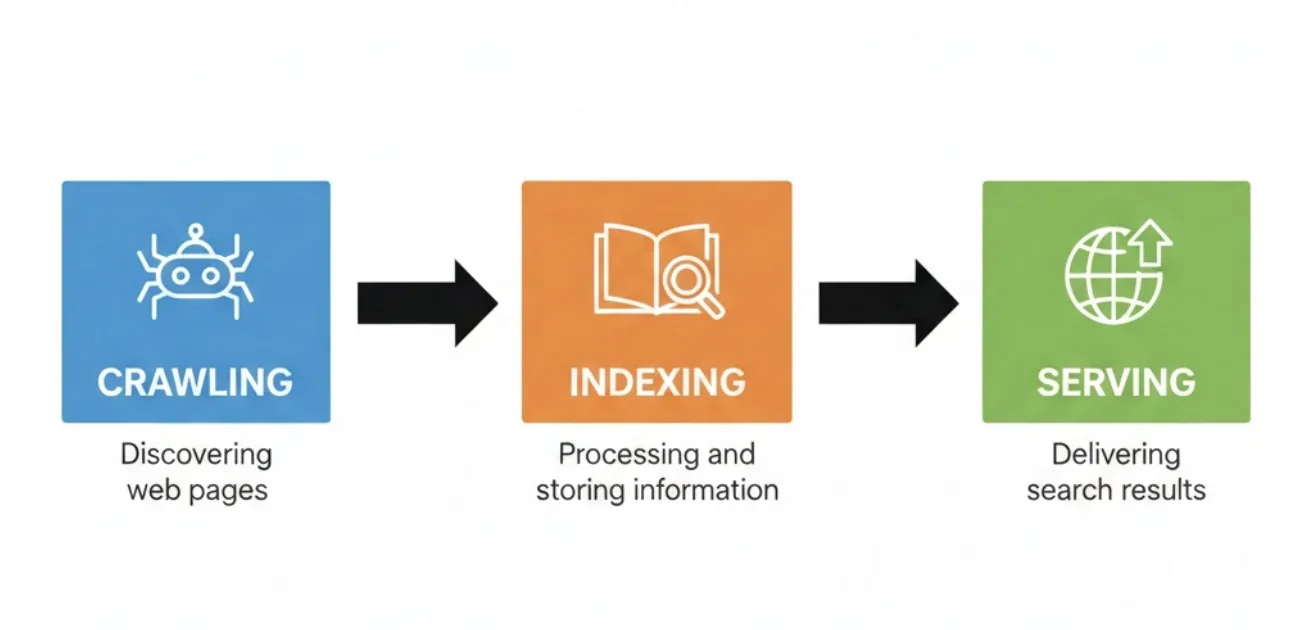
Crawling
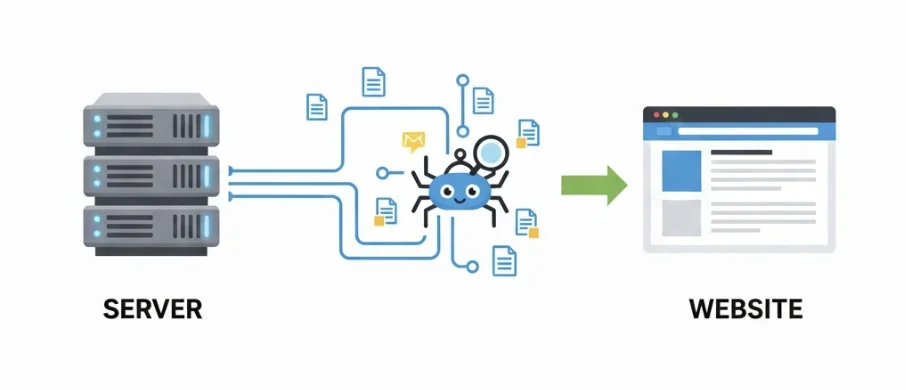
Google sends automated bots (called crawlers or spiders) to download your pages. They grab text, images, videos - everything they can access.
Indexing
Google analyzes what it downloaded and stores it in a massive database (the index). Not everything gets indexed though - low quality or duplicate content gets skipped.
Serving Results
When someone searches, Google pulls relevant pages from the index and ranks them. If your page isn't in the index, it doesn't exist to Google.
Technical SEO is about making all three of these steps work smoothly. Can Google crawl your site? Will it index your pages? Are there any roadblocks? You can test your own site's crawlability with the robots.txt checker.
Site Structure & Crawl Depth
How your pages are organized matters more than most people realize. Here's the key principle:
Pages closer to your homepage are seen as more important.
If a page is buried 10 clicks deep, Google might not bother crawling it at all. It'll assume it's not important since you hid it so far from the surface.
The rule: Keep your important pages within 3 clicks of the homepage. If someone lands on your homepage, they should be able to reach any important page in three clicks or less.
Internal Linking
The way pages link to each other creates your site structure. Good internal linking:
- ✓Helps crawlers discover all your pages
- ✓Distributes "link equity" to important pages
- ✓Tells Google which pages are most important
- ✓Keeps users on your site longer
Orphan pages - pages with no internal links pointing to them - are a common technical SEO problem. If nothing links to a page, crawlers might never find it.
Common Technical SEO Issues
These are the problems I see most often when auditing sites. They're usually easy to fix once you know they exist.
Broken Links (404s)
Links that point to pages that don't exist. They waste crawl budget and create bad user experience.
Fix: Update the links or set up 301 redirects to relevant pages.
Missing or Duplicate Meta Tags
Every page needs a unique title tag and meta description. Duplicates confuse Google about which page to show.
Fix: Write unique, keyword-targeted titles and descriptions for each page. Check yours with the SEO audit tool.
Slow Page Speed
Slow pages hurt both rankings and user experience. Google's Core Web Vitals measure this directly.
Fix: Compress images, minimize JavaScript, use caching, consider a CDN.
Missing XML Sitemap
A sitemap is like a cheat sheet for crawlers - it tells them where all your important pages are.
Fix: Generate a sitemap and submit it to Google Search Console. Most CMS platforms create these automatically.
Crawl Blocks in robots.txt
Your robots.txt file tells crawlers which pages they can and can't access. If it's misconfigured, you might be accidentally blocking important pages.
Fix: Test your robots.txt with the robots.txt checker.
Core Web Vitals
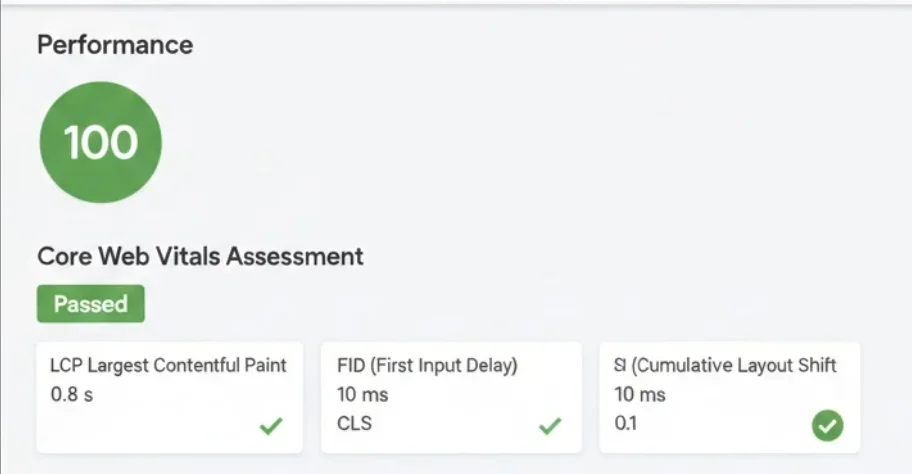
Google's Core Web Vitals are specific metrics that measure user experience. They're a confirmed ranking factor.
LCP (Largest Contentful Paint)
Target: < 2.5sHow long it takes for the biggest visible element to load. Usually a hero image or main heading.
INP (Interaction to Next Paint)
Target: < 200msHow quickly the page responds when you click something. Replaced FID in 2024.
CLS (Cumulative Layout Shift)
Target: < 0.1How much the page jumps around while loading. Ever try to click a button and it moves? That's bad CLS.
You can check your Core Web Vitals in Google Search Console under "Experience" or run a test at Google PageSpeed Insights.
Robots.txt and XML Sitemaps
Robots.txt
This is a text file at the root of your website (yoursite.com/robots.txt) that gives instructions to crawlers. It's like a polite sign saying "you can go here, but not there."
Common uses:
- •Blocking admin areas or staging sites
- •Preventing crawling of duplicate content
- •Pointing crawlers to your sitemap
XML Sitemap
An XML sitemap lists all the important pages on your site. It tells search engines:
- ✓What pages exist
- ✓When they were last updated
- ✓How often they change
- ✓Which pages are most important
Check if your sitemap is working properly with the crawl checker tool.
Schema Markup (Structured Data)
Schema markup is code you add to your pages that helps search engines understand your content better. It can also enable rich snippets - those enhanced search results with stars, prices, FAQs, and more.
Common schema types for local businesses:
Want to see what structured data is currently on your site? Use the schema markup tester to validate your JSON-LD.
The TL;DR
Technical SEO isn't as scary as it sounds. Here's what matters most:
- 1.Make sure Google can crawl your site. Check your robots.txt and fix any blocking issues.
- 2.Keep important pages close to the homepage. 3 clicks or less.
- 3.Fix broken links. They waste crawl budget and annoy users.
- 4.Speed up your site. Core Web Vitals are a ranking factor.
- 5.Have a sitemap. Submit it to Search Console.
- 6.Add schema markup. It helps Google understand your content and can get you rich snippets.
Check Your Technical SEO
Use these free tools to audit your site's technical health.
Need Help With Technical SEO?
Technical SEO audits are included in all my SEO packages. I'll find the issues and fix them.